Getting an answer in Pin used to take a few too many clicks. Want to know who replied today? Open a position, find the right tab, then do it all again for the next one.
So we rebuilt how Pin is organized. The new navigation is designed around one thing: getting you to your candidates and answers faster.
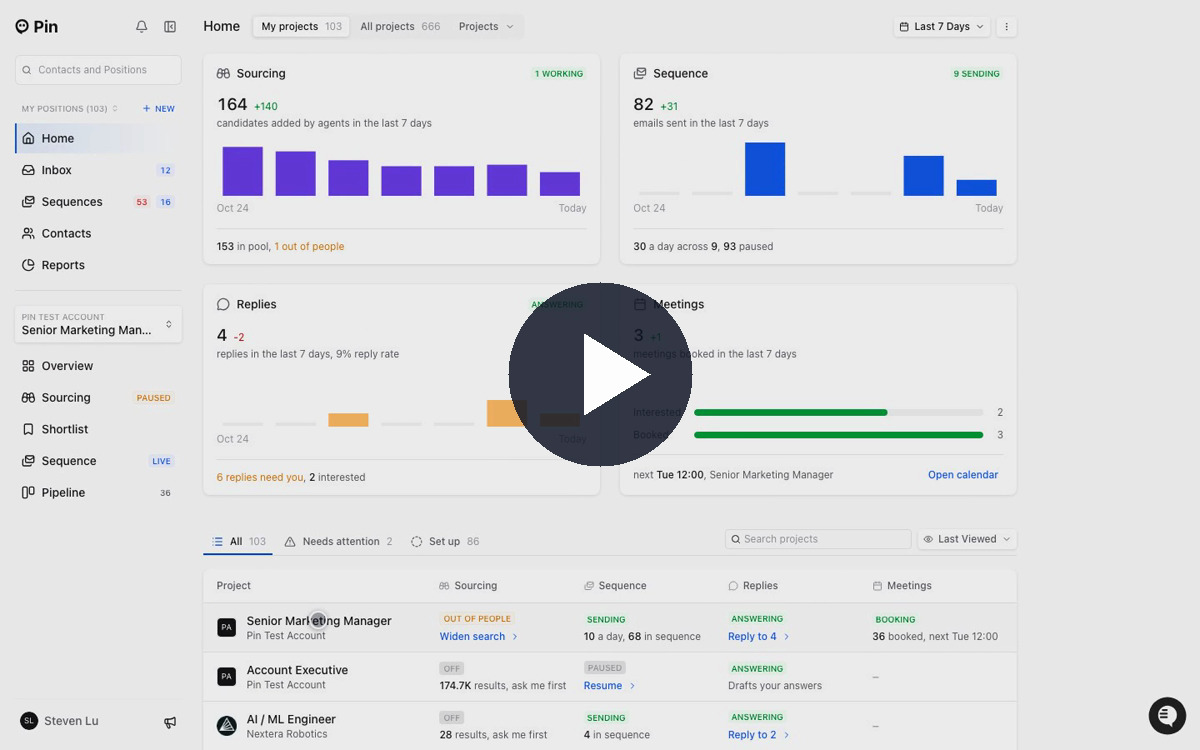
Here’s what’s new
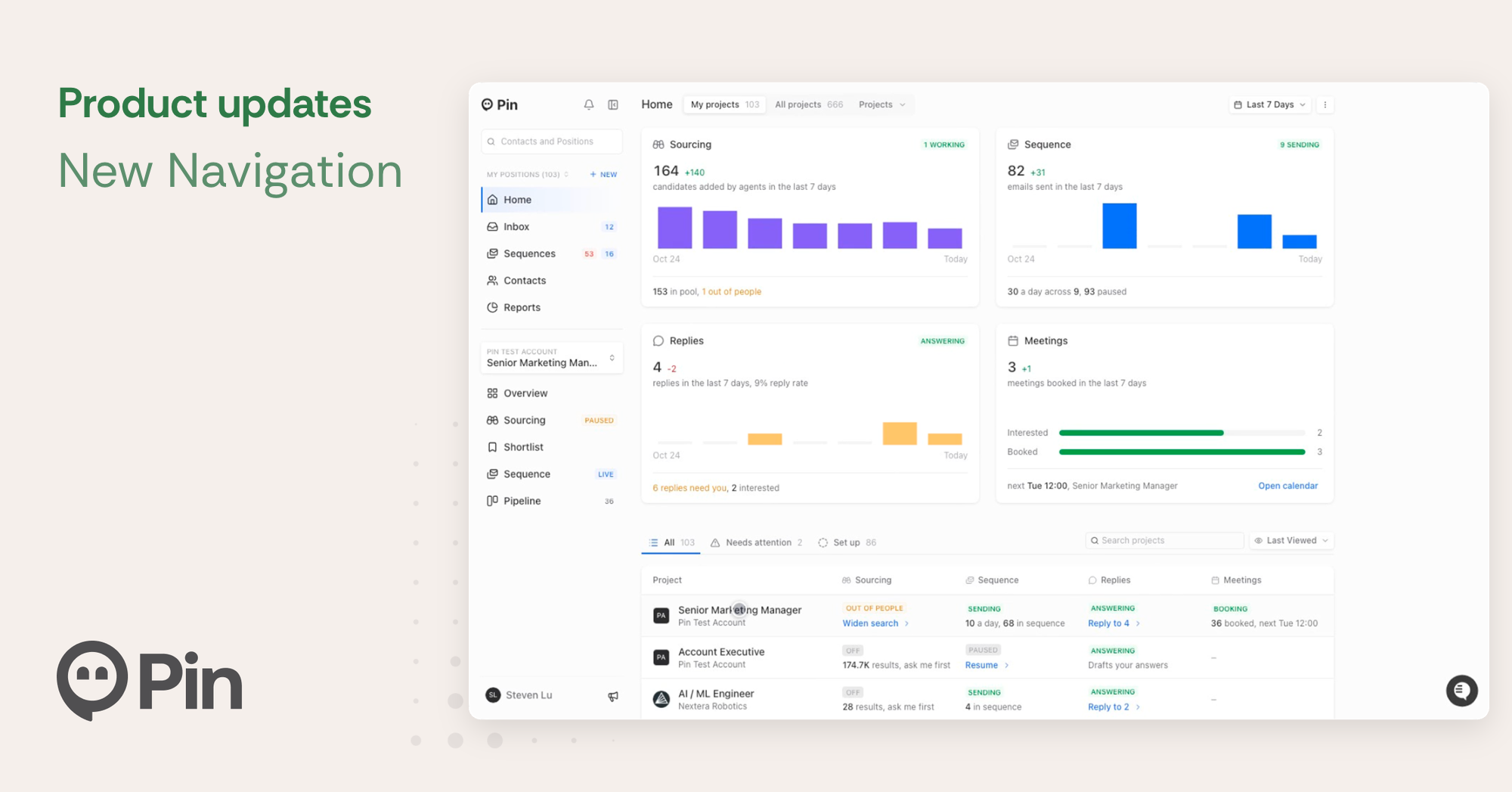
🏠 Home: your whole desk at a glance
See how every agent is doing (candidates added, emails sent, replies received, meetings booked) and which positions need you, with a button to act on each one.
📥 Inbox: every reply in one place
Replies from all your positions land in one inbox, with the ones that need a response up top. Flip between your positions and your whole team’s.
🗂️ Sidebar: less clicking around
Everything across your positions sits at the top, and the position you’re working on sits below. No more digging through a long menu inside every position.
🤖 Sourcing: your agent and searches, together
Inside a position, Sourcing now takes you to the agent. Its sidebar shows what it’s working on and anything waiting for you. If an agent is only partly on, one click turns everything on. And with Replies on, your agent goes beyond drafting: when it’s confident in a response, it sends it for you, so candidates hear back faster.
⚡ Everywhere else: faster answers
- Search finds positions as well as contacts.
- Reports has one picker: a company, a set of people, a single position, or your whole team.
- Sequences has its own overview, from added to interested, and each position’s Sequence page now opens on a step-by-step view of how outreach is going.
📌 Heads up: a few things changed
- Candidates is now Contacts, with everyone across your positions in one place. Jump straight to who’s in a sequence, who’s replied, or who’s scheduled from one menu.
- Shortlist now shows everyone for the position. Approved is the people you’re actively working, and your maybes have moved to the new Review Queue.