The best Ashby integrations for recruiters in 2026 start with Pin for sourcing, which connects 850M+ candidate profiles to your Ashby pipeline and reduces sourcing time by 90%. For HRIS, Workday leads with bi-directional syncs every 20 minutes. For background checks, Checkr triggers screenings directly from Ashby's candidate record.
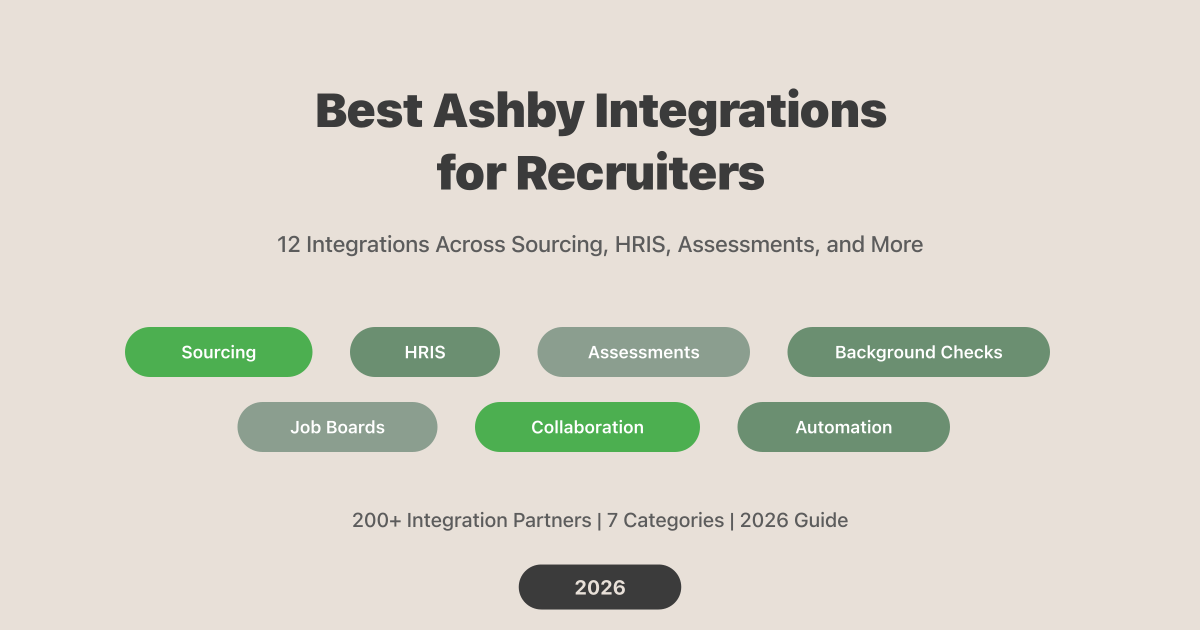
Ashby now supports 200+ integration partners across sourcing, HRIS, assessments, job boards, and collaboration tools. That's a solid ecosystem - though still smaller than the largest competing ATS platforms, which offer 300-400+ integrations. The gap matters less than you'd think: Ashby bundles scheduling, analytics, and CRM natively, so teams need fewer third-party add-ons to begin with.
Integration gaps remain a common ATS pain point for recruiting teams. This guide covers 12 Ashby integrations that solve the most common workflow gaps - organized by what they actually do for your hiring process.
TL;DR: The highest-impact Ashby integrations are Pin for sourcing ($100/mo, 83% candidate acceptance rate), Workday for HRIS (bi-directional sync every 20 min), Checkr for background checks, and CodeSignal for assessments. Full pricing and setup details for all 12 below.
Why Do Ashby Integrations Matter for Recruiting Teams?
The average non-executive hire costs $5,475 and takes 45 days to fill, according to SHRM's 2025 Recruiting Benchmarking Report. Every unfilled position drains $4,000-$9,000 per month in lost productivity and overtime. Integrations don't just save clicks - they compress the timeline between "job opened" and "offer accepted."
Here's the real issue: most recruiting teams aren't satisfied with their tech stack. According to SHRM (2025), 86% of ATS users report reduced time-to-hire - but only when their tools actually connect. More tools don't automatically mean better outcomes. What matters is how well those tools talk to each other.
Ashby's all-in-one design means you start with native scheduling, analytics, and a built-in CRM. That eliminates three or four tools most Greenhouse or Lever users pay for separately. The integrations you add on top should fill genuine gaps - sourcing reach, HRIS handoffs, compliance checks - not replicate features Ashby already handles.
Think of it as the "integration tax." A typical Greenhouse setup requires Greenhouse itself, plus a scheduling tool (GoodTime or Calendly), a sourcing CRM (Gem), and a separate analytics platform. Each tool adds a monthly bill and another login for your team to manage. Ashby bundles those three capabilities natively, so you're only adding integrations for functions that genuinely require external systems - HRIS sync, background verification, and deeper candidate discovery.
According to the LinkedIn Future of Recruiting Report (2025), Gen AI now saves recruiting teams roughly 20% of their work week - equivalent to one full workday. But those savings only materialize when AI tools connect to your ATS cleanly. A sourcing tool that finds great candidates but requires manual copy-paste into Ashby isn't saving time. It's just shifting the work.

The chart above shows raw integration counts, but raw numbers are misleading. Greenhouse users often need GoodTime for scheduling, Gem for sourcing CRM, and Crosschq for analytics - three paid tools that Ashby includes out of the box. Fewer integrations can actually mean a simpler, cheaper stack.
Best Ashby Sourcing Integration: Pin
If you're running Ashby and still manually sourcing candidates on LinkedIn, you're leaving speed on the table. Pin connects to Ashby and pushes candidates directly into your pipeline from a database of 850M+ profiles - the largest multi-source candidate database in the industry, with 100% coverage in North America and Europe.
What makes Pin different from other sourcing tools is where it pulls data from. Instead of being limited to a single professional network, Pin aggregates from LinkedIn, GitHub, Stack Overflow, open-source contributions, patents, and academic publications. That means 1,000s of data points per candidate profile versus the 100s you'd get from LinkedIn Recruiter alone.
The numbers back it up. Pin users report an 83% candidate acceptance rate - the highest AI matching precision of any recruiting platform. Outreach through Pin's multi-channel sequences (email, LinkedIn, SMS) delivers 5x better response rates than industry averages. And the whole platform starts at $100/mo with a free tier that requires no credit card.
As Rich Rosen, Executive Recruiter at Cornerstone Search, puts it: "Absolutely Money maker for Recruiters... in 6 months I can directly attribute over $250k in revenue to Pin."
Pin's AI sourcing handles everything from needle-in-a-haystack specialist roles to high-volume hiring - try it free.
| Detail | Pin |
|---|---|
| Database | 850M+ profiles |
| Starting Price | $100/mo |
| Free Tier | Yes (no credit card) |
| Key Strength | Multi-source AI sourcing + automated outreach |
| Ashby Sync | Candidates push directly into pipeline |
What Are the Best HRIS Integrations for Ashby?
The three most effective Ashby HRIS integrations are Workday (bi-directional sync every 20 minutes), Rippling (auto-provisions IT and payroll on offer acceptance), and BambooHR (pushes new hire data to trigger onboarding). Deel and Gusto round out the category for international and SMB teams respectively.
The moment a candidate accepts an offer, the clock starts on onboarding. A disconnected handoff between your ATS and HRIS means manual data entry, delayed IT provisioning, and a new hire's first impression being "fill out this form again." These HRIS integrations eliminate that gap.
Workday
Workday's Ashby integration runs a bi-directional API sync every 20 minutes. Job requisitions, offer data, and compensation details flow both directions without manual exports. Most ATS-to-HRIS connections are one-directional or batch-synced overnight - this 20-minute cadence means headcount data in Workday stays current throughout the day. Best for organizations with 150+ employees that already run Workday for HR and finance.
Rippling
Rippling takes the handoff further than data sync. When a candidate accepts an offer in Ashby, Rippling automatically creates IT accounts, schedules equipment shipping, and initiates payroll setup. It's the difference between "new hire data transferred" and "new hire ready to work on day one." Rippling connects through a REST API, and the trigger fires on offer acceptance - no manual step in between.
BambooHR
BambooHR's integration is simpler: it pushes new hire records from Ashby into BambooHR to kick off onboarding workflows. No bi-directional sync, but for small and mid-size teams (under 500 employees) that use BambooHR as their core HR system, it covers the critical handoff. If you're comparing Ashby's pricing tiers, note that HRIS integrations are available on all plans.
Deel and Gusto
Two more HRIS integrations worth mentioning for specific use cases. Deel pushes candidate details from Ashby after the offer stage - particularly useful for companies hiring international contractors or full-time employees through Deel's employer-of-record model. If you're expanding into new countries without setting up local entities, the Ashby-Deel connection keeps your hiring workflow in one place instead of switching between platforms.
Gusto handles payroll onboarding for US-based small businesses. When a candidate is marked "hired" in Ashby, their data flows into Gusto to set up payroll, benefits enrollment, and tax forms. It's a straightforward connection for startups and SMBs that don't need the complexity of Workday or Rippling but want to eliminate manual onboarding data entry.
Which Assessment Tools Integrate with Ashby?
Technical hiring without structured assessments is guesswork. According to the LinkedIn Future of Recruiting Report (2025), 37% of recruiting organizations are actively integrating AI tools into their workflows - and assessments are one of the highest-impact categories for reducing bias and improving evaluation consistency.
CodeSignal
CodeSignal pushes normalized challenge scores, playback links, and scoring rubrics directly into the Ashby candidate record. Every interviewer sees the same standardized evaluation instead of relying on whiteboard impressions. The playback feature is particularly useful: hiring managers can watch how a candidate approached a problem, not just whether they solved it. For teams hiring 10+ engineers per quarter, standardized scoring removes the inconsistency that comes from different interviewers using different evaluation criteria.
HackerRank
HackerRank integrates coding tests directly into Ashby interview plans. You set up the assessment as a stage, candidates receive automated invitations, and results flow back into the timeline. It's one of the most widely adopted technical screening platforms in the industry, which means candidates are often already familiar with the format - reducing friction and completion drop-off rates.
CoderPad
CoderPad adds live collaborative coding sessions to your Ashby scheduling. Unlike take-home assessments, CoderPad runs real-time interviews where both the candidate and interviewer write code in a shared environment. It supports 30+ programming languages and integrates with Ashby's calendar so the session link auto-populates in interview invites.
SHL
SHL covers the non-technical side of assessments. It adds psychometric evaluations, cognitive ability tests, and personality assessments to Ashby interview plans. Where CodeSignal and HackerRank focus on engineering roles, SHL is built for sales, customer success, operations, and leadership positions where behavioral fit matters as much as technical skill. Results feed directly into the Ashby candidate profile so hiring managers can review assessment data alongside interview notes.
Which Background Check Tools Work with Ashby?
Background checks are often the bottleneck between "verbal yes" and "signed offer." Every extra day of waiting increases the risk of losing a candidate to a faster-moving competitor - and with the median time-to-fill already sitting at 45 days (SHRM, 2025), adding a week for manual background check processing is a luxury most teams can't afford. These two integrations keep checks inside your Ashby workflow instead of requiring a separate login and manual status tracking.
Checkr
Checkr lets you trigger background checks from within Ashby's candidate record - no tab-switching, no separate portal. Automated adjudication handles common results without requiring manual review, and real-time status updates flow back into the candidate timeline. The REST API connection means status changes appear in Ashby within minutes, not hours. Checkr starts at $29.99/check for basic packages.
HireRight
HireRight embeds background checks directly into Ashby interview plans as a configurable stage. With 70+ ATS integrations and coverage in 200+ countries, HireRight is the standard choice for companies with international hiring needs. Pricing is custom-quoted based on volume and package type, but expect $30-$100 per check depending on scope.

How Does Ashby Handle Candidate Experience?
According to CareerPlug's 2025 Candidate Experience Report, 66% of candidates said a positive experience influenced their decision to accept a job offer. That's not a soft metric - it directly impacts offer acceptance rates and your employer brand.
Guide syncs jobs, candidates, interviewer profiles, and interview schedules from Ashby to automatically create personalized candidate portals. Each candidate gets a branded page with their interview schedule, interviewer bios, company information, and preparation tips. Instead of sending three separate emails with logistics, a Google Doc with company info, and a calendar invite, you send one Guide link that updates in real time as the schedule changes.
The Ashby-Guide integration is especially valuable for companies running multi-round interview loops. A candidate doing four interviews across two days gets a single, clean view of who they're meeting, when, and what to expect. It's a small touch that signals professionalism and reduces the scheduling-related drop-offs that plague complex hiring processes.
What Are the Best Communication Integrations for Ashby?
Ashby's core communication integrations are Slack (real-time alerts, interactive offer approvals, auto-created interview channels), Google Workspace (calendar and Meet sync), Microsoft 365 (calendar and Teams sync), and Zoom (meeting links and session logging). All connect via REST API and are essential for team coordination during hiring.
Slack
Ashby's Slack integration goes beyond basic notifications. It sends real-time hiring event alerts, supports interactive offer approvals directly in Slack channels, and auto-creates dedicated interview channels for each role. When a candidate moves stages, the hiring team sees it instantly. When an offer needs sign-off, the approver clicks a button in Slack instead of logging into Ashby.
The auto-created interview channels are worth highlighting. For each open role, Ashby can spin up a Slack channel where the hiring manager, recruiter, and interviewers share feedback, discuss candidates, and review scorecards - all in one thread rather than scattered across email, DMs, and Ashby's interface. When the role closes, the channel serves as a searchable record of every hiring decision. This is especially valuable for compliance-conscious teams that need to document their evaluation process.
Google Workspace and Microsoft 365
Both integrations sync users, email, and calendar availability with Ashby. Google Workspace adds Google Meet links to interview invites automatically. Microsoft 365 does the same with Teams. These aren't optional add-ons - they're foundational. Without calendar sync, Ashby's native scheduling can't do its job. Both connect via OAuth REST API.
Zoom
Zoom's integration auto-injects meeting links into interview calendar invites created through Ashby. It also logs video sessions in the Ashby candidate timeline, so recruiters can track which interviews happened and when without cross-referencing Zoom's own meeting history. If your team uses Zoom rather than Google Meet or Microsoft Teams for interviews, this integration keeps everything in one record.
What Are the Best Job Board and Contract Integrations for Ashby?
Ashby connects natively to LinkedIn, Indeed, and ZipRecruiter for job distribution, plus Ironclad for contract management and Pave for compensation benchmarks. Job distribution and offer management are where small inefficiencies compound - posting to five boards manually adds hours of work that integrations eliminate entirely.
LinkedIn, Indeed, and ZipRecruiter
Ashby connects to all three major job boards natively. LinkedIn syncs job postings and Easy Apply submissions bi-directionally - when a candidate applies through LinkedIn, their application appears in Ashby automatically. Indeed enables Easy Apply directly from Ashby-posted listings. ZipRecruiter supports 1-Click Apply, which tends to generate higher application volumes (with corresponding trade-offs in candidate quality).
For tech-focused hiring, Ashby also integrates with Levels.fyi, Otta, and Built In - niche boards where engineering candidates actually browse. The Levels.fyi integration is particularly smart for companies that are transparent about compensation, since the platform's audience actively compares salary data. Built In syncs daily, so new roles appear on the board without manual reposting.
Ironclad
Ironclad auto-populates contract fields using candidate data from Ashby - name, title, compensation, start date, equity grant details. It tracks contract status in real time, so recruiters can see whether an offer letter has been sent, opened, or signed without leaving Ashby. For teams that send 50+ offers per quarter, this integration eliminates a significant amount of manual document handling and reduces the errors that come from re-keying data between systems.
The real-time tracking matters more than it sounds. Without it, recruiters resort to checking their email for DocuSign notifications or pinging the legal team for updates. Ironclad puts that status inside Ashby's candidate record, so everyone working the pipeline sees the same information. No more "did the candidate sign?" messages clogging up Slack.
Pave
Pave delivers real-time equity and salary benchmarks directly inside Ashby's offer flow. Its dataset covers 6,000+ organizations (Pave, 2025), so compensation decisions are backed by current market data rather than outdated spreadsheets. Pave also generates visual offer letters that present total compensation clearly - base, equity, bonuses, and benefits in one view.
Best Ashby Automation Integration: Zapier
Zapier connects Ashby to 6,000+ apps through triggers like stage changes, candidate hired events, and new job openings. It's the long-tail integration strategy: anything Ashby doesn't connect to natively, Zapier probably can.
Some practical examples that recruiting teams actually use. Trigger a swag shipment through Printful when a candidate is marked "hired." Post new job openings to your company's internal Slack channel automatically. Push interview feedback summaries to a Google Sheet for quarterly hiring audits. Send a personalized welcome email via Mailchimp when a candidate reaches the onboarding stage. Create a Trello card for the IT team when a new hire is confirmed so they can start provisioning equipment.
The 37% of recruiting organizations now actively integrating Gen AI tools into their workflows (LinkedIn, 2025) are using exactly these kinds of multi-step automations. Zapier makes them accessible without engineering tickets or custom API work.
Zapier's free tier handles 100 tasks per month. The Starter plan ($19.99/mo) covers 750 tasks, which is enough for most recruiting teams. The Ashby-Zapier integration has been available since November 2023 and supports multi-step Zaps for more complex workflows.
Quick Reference: Ashby Integration Pricing
| Integration | Starting Price | Free Tier | Best For |
|---|---|---|---|
| Pin | $100/mo | Yes | AI sourcing + outreach |
| Checkr | $29.99/check | No | Background checks |
| CodeSignal | Custom | No | Technical assessments |
| HackerRank | $100/mo | Yes (limited) | Coding tests |
| CoderPad | $100/mo | Yes (limited) | Live coding interviews |
| Zapier | $19.99/mo | Yes (100 tasks) | Custom automations |
| Slack | Free | Yes | Team notifications |
| Ironclad | Custom | No | Contract management |
| Pave | Custom | No | Compensation benchmarks |
| Workday | Custom | No | Enterprise HRIS |
| Rippling | $8/employee/mo | No | IT + payroll onboarding |
| BambooHR | Custom | No | SMB HRIS |
How to Choose the Right Ashby Integrations for Your Team
Don't install every integration on day one. Start with the workflow gaps that cost your team the most time, then add tools incrementally. Here's a practical framework:
Step 1: Audit your current process. Where do candidates stall in your pipeline? If time-to-schedule is your bottleneck, you probably don't need an integration - Ashby handles scheduling natively. If sourcing is the gap, Pin fills it. If background checks delay offers by a week, Checkr or HireRight should be your first add.
Step 2: Check what Ashby already covers. Before paying for a third-party tool, verify Ashby doesn't already do it. Scheduling, basic analytics, CRM, and email sequencing are built in. Teams migrating from Greenhouse often discover they can drop two or three paid subscriptions immediately. That's a real savings when comparing your recruiting software stack to what you actually need.
Step 3: Prioritize bi-directional syncs. One-directional integrations create data silos. Workday's 20-minute bi-directional sync keeps both systems current. LinkedIn's bi-directional job sync means you're not manually reconciling applicants. Always choose the integration that sends data both ways when you have the option.
Step 4: Factor in your growth trajectory. A 50-person startup needs different integrations than a 500-person enterprise. Rippling makes sense if you're scaling headcount fast. Pave matters when you're competing for senior talent and need market-rate offer letters. Don't pay for enterprise tooling you won't use for 18 months. For a deeper comparison of ATS vs CRM capabilities, see our full breakdown.
Step 5: Use Zapier for edge cases. Not everything needs a dedicated integration. If you need to send new-hire data to an internal tool, post job updates to a specific Slack channel, or trigger onboarding tasks in Asana, Zapier covers it without engineering effort. Reserve native integrations for high-volume, mission-critical workflows. Use Zapier for everything else.
What About Ashby's API?
Ashby offers a REST API for teams that need custom connections beyond what the marketplace provides. This is relevant for companies with internal tools, proprietary databases, or niche compliance systems that don't have pre-built Ashby integrations. The API covers candidates, jobs, offers, users, and interview scheduling endpoints. It requires engineering resources to set up, so it's not a self-serve option for most recruiting teams - but it's there when off-the-shelf integrations don't cover your specific workflow.
For most teams, the 200+ marketplace integrations plus Zapier cover 95% of use cases. The API is a safety valve, not a starting point. If you're evaluating your full ATS software options, integration depth should be one factor alongside pricing, native features, and reporting capabilities.
Frequently Asked Questions
How many integrations does Ashby support in 2026?
Ashby supports 200+ integration partners across sourcing, HRIS, assessments, background checks, job boards, and communication tools. While some competing ATS platforms offer 300-400+ integrations, Ashby bundles scheduling, analytics, and CRM natively - reducing the number of third-party tools teams actually need.
What is the best sourcing integration for Ashby?
Pin is the most effective sourcing integration for Ashby users. It delivers an 83% candidate acceptance rate - the highest matching precision of any AI recruiting platform - and pushes matched candidates directly into your Ashby pipeline. Pin starts at $100/mo with a free tier available.
Does Ashby integrate with Workday?
Yes. Ashby's Workday integration runs a bi-directional API sync every 20 minutes, covering job requisitions, offer data, and compensation details. It's one of the faster ATS-to-HRIS connections available - most competing platforms sync once per hour or in overnight batches. Works best for organizations with 150+ employees already on Workday for HR and finance.
Can I connect Ashby to tools not in its marketplace?
Yes, through Zapier. Ashby's Zapier integration connects to 6,000+ apps using triggers like stage changes and candidate-hired events. Zapier's free tier covers 100 tasks per month, and the Starter plan ($19.99/mo) handles 750 tasks - enough for most recruiting teams.
Are Ashby integrations available on all pricing plans?
Most Ashby integrations are available across all plans, including Foundations ($400/mo). However, some advanced features like Advanced Scheduling Automation and AI Notetaker are paid add-ons that aren't included in the base price. The Foundations plan also caps email lookups at 200 per month, which can limit sourcing workflows. Check Ashby's pricing breakdown for details on what's included at each tier and what costs extra.
Conclusion
The best Ashby integrations cover every stage of your hiring funnel - HRIS, background checks, job boards, assessments, and communication. The platform's all-in-one design means you need fewer third-party tools than teams on competing ATS platforms, which keeps total costs down and reduces the context-switching that slows recruiters throughout the day.
The pattern that works best: start with communication (Slack + your calendar suite), add your HRIS integration for onboarding handoffs, then layer in the tools that address your specific hiring bottlenecks. For most teams, that means a sourcing tool, a background check provider, and an assessment platform. Everything else can wait until you've identified a concrete workflow gap.
The biggest gap in most Ashby stacks is sourcing. Ashby handles tracking, scheduling, and pipeline management well, but it doesn't include a native candidate sourcing database. That's the one category where an external integration isn't optional - it's required. Of all the Ashby integrations covered here, Pin delivers the highest impact - rated 4.8/5 on G2 by recruiters who use it daily, with 95% of users reporting better candidate quality than their previous sourcing methods and positions filled in an average of 14 days. If you're building an applicant tracking stack around Ashby, sourcing is the first integration worth adding.
Ready to fill the sourcing gap in your Ashby integrations? Add AI sourcing to your Ashby stack with Pin