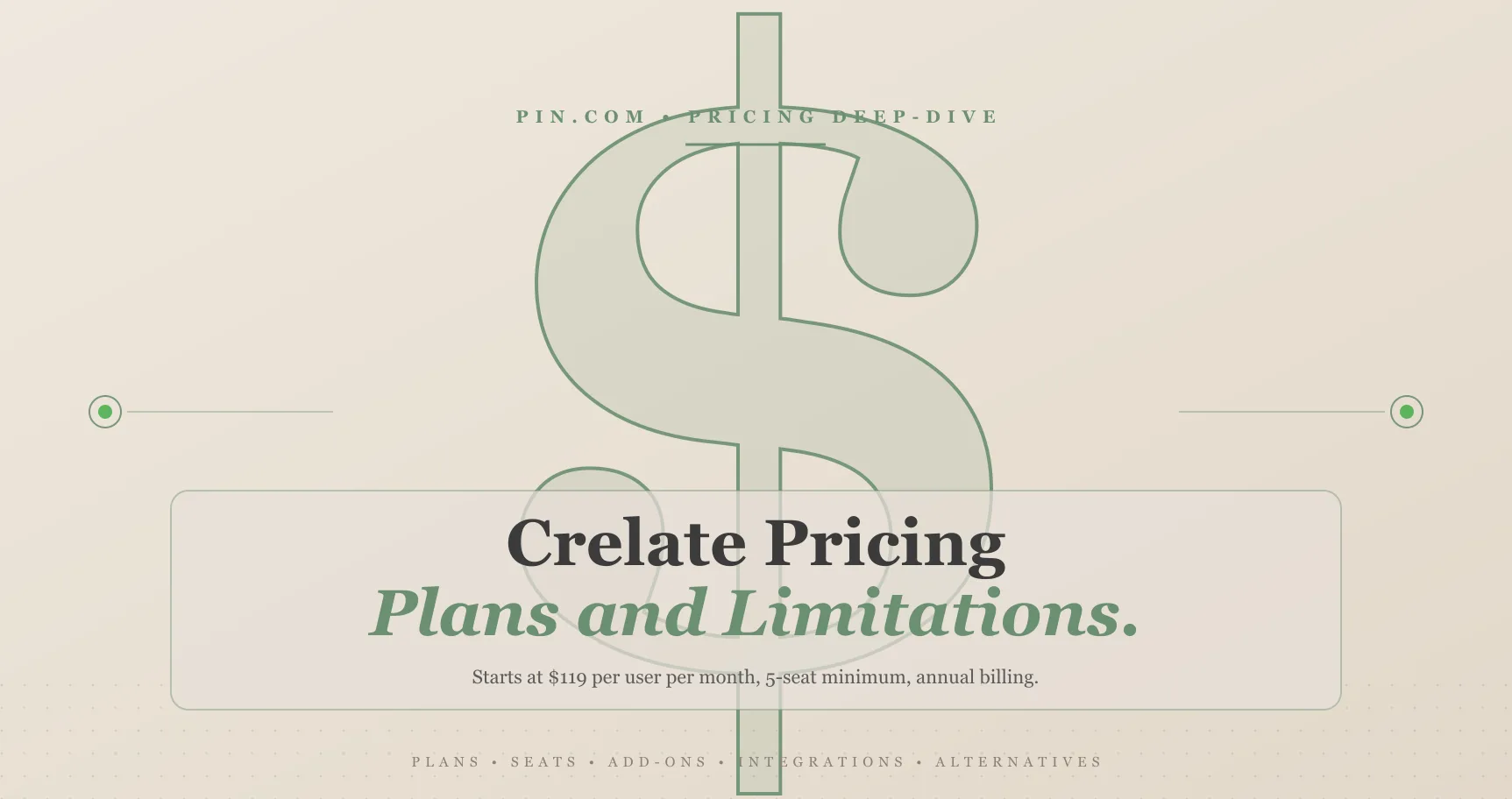
Crelate pricing starts at $119 per user per month on the Business plan, billed annually, with a 5-seat minimum - setting the floor at $595/month or $7,140/year before adding any extras. Business Plus and Enterprise tiers require custom quotes from sales and gate key features like automated sequencing, AI Co-Pilot, and RingCentral integration behind higher price points.
For staffing agencies evaluating Crelate as a combined ATS and CRM, that per-user pricing adds up fast. A 10-recruiter team pays $14,280/year on the Business plan alone, and that number grows by at least 7% annually thanks to a built-in contract escalator most buyers don’t notice until renewal. This guide breaks down exactly what each plan includes, what’s missing, where the hidden costs live, and where alternatives deliver better value per dollar.
TL;DR:
- Business plan is $119/user/mo with a 5-seat minimum. That’s a $7,140/year floor before any extras, and solo or 2-3 person agencies can’t use Crelate at all.
- Outreach sequencing and AI Co-Pilot are locked to Business Plus. Multi-step email/SMS sequences, AI agents, and BD workflows require the custom-priced tier.
- Annual billing only, no free trial. You commit upfront for 12 months with no refunds, and contracts auto-renew unless you submit 30-day written cancellation.
- A 7%/CPI annual escalator raises renewal costs. The clause lives in Crelate’s ToS (2026), so your bill grows each year even without adding seats.
- Sourcing-first teams have cheaper paths. Pin starts at $100/mo flat (per account, not per user) with AI sourcing across 850M+ profiles and a free tier.
Crelate Pricing Plans and Per-User Costs in 2026
According to Crelate’s pricing page (2026), the Business plan is the only tier with published pricing at $119 per user per month. Business Plus and Enterprise both require contacting sales for a custom quote, and Crelate doesn’t disclose estimated ranges for either tier. All plans require annual billing paid upfront, with quarterly invoicing available in some cases. (Last verified: May 2026)
Priced at $119/user/mo, Crelate sits in the mid-range for agency-focused recruiting software. It’s more expensive than PCRecruiter (~$85/user/mo) but less than some enterprise platforms that charge $150-200+ per user. What matters most is what’s included at that price point - and what’s locked behind higher tiers. Third-party estimates on G2 (2025) suggest Business Plus pricing falls somewhere between $140-160/user/month, though Crelate doesn’t confirm this publicly.
Calculated from the published per-user rate, here’s what agencies actually pay on the Business plan:

Several important details about how Crelate charges:
- 5-seat minimum. Solo recruiters and 2-3 person agencies can’t use Crelate. You’re paying for at least 5 users whether you need them or not, which means $595/month is the absolute floor.
- Annual billing only. There’s no true month-to-month option. You pay upfront for 12 months at the start of your contract, which means committing $7,140+ before you’ve placed a single candidate through the platform.
- No free tier or trial. Unlike several competitors that offer free plans or 14-day trials, Crelate requires a paid commitment from day one. You can request a demo, but you can’t test the platform with real data before signing.
- Automatic renewal. Contracts auto-renew for successive 12-month periods. You need to submit written cancellation notice at least 30 days before your term expires using an in-app form, and fees are explicitly non-refundable.
A 5-seat minimum creates a real barrier for small agencies. A 3-person recruiting firm pays for 2 unused seats - that’s $2,856/year in wasted spend. And because there’s no trial, you won’t know if the platform fits your workflow until you’ve already committed thousands of dollars. Lean agencies testing new tools face a high-risk entry point compared to platforms that offer free tiers or month-to-month billing. At the other end of the scale, 100 recruiters on the Crelate ATS pricing model pay $142,800/year on the Business plan before the 7% annual escalator adds to that figure.
Based on Pin’s data: When staffing agencies compare Crelate ATS pricing to flat-rate alternatives, the math shifts quickly once you factor in team size and multi-year commitments. Agencies that switch to Pin from per-user platforms consistently cite the pricing model as a top driver - particularly after discovering the 7% annual escalator at renewal. According to Pin’s 2026 user survey, 90% of users report a reduction in overall recruiting spend after switching, and 91% reduced or eliminated LinkedIn Recruiter spend entirely. Across agency sizes, per-user pricing penalizes growth while flat-rate tools reward it. A 10-person team on a $119/user plan pays $14,280/year. Pin’s Professional plan costs that same team $1,788/year - nearly 8x less - while including AI-powered sourcing across 850M+ profiles that the Crelate ATS pricing model doesn’t offer in any tier.
What’s Included in Each Crelate Plan?
Crelate’s Business plan includes core ATS and CRM features, but automated outreach sequencing and AI Co-Pilot require upgrading to Business Plus - and Enterprise is where dedicated implementation support and advanced security land. Based on their pricing page and verified user reviews on G2 (2025), here’s the full breakdown:
| Feature | Business ($119/user/mo) | Business Plus (Custom) | Enterprise (Custom) |
|---|---|---|---|
| ATS (Full Applicant Lifecycle) | ✓ | ✓ | ✓ |
| Recruiting CRM | ✓ | ✓ | ✓ |
| Basic AI Assistant | ✓ | ✓ | ✓ |
| Branded Job Portal | ✓ | ✓ | ✓ |
| Resume Toolbox | ✓ | ✓ | ✓ |
| Client Portals | Basic | Premium | Premium |
| Reports & Analytics | Standard | Expanded | AI-Powered |
| Outreach Sequencing | ✗ | ✓ | ✓ |
| AI Co-Pilot & AI Agents | ✗ | ✓ | ✓ |
| Business Development Workflows | ✗ | ✓ | ✓ |
| RingCentral Integration | ✗ | ✓ | ✓ |
| Premium Support | ✗ | ✗ | ✓ |
| Early Access to New Features | ✗ | ✗ | ✓ |
| Advanced Security | ✗ | ✗ | ✓ |
When comparing Crelate Business vs Business Plus, outreach sequencing is the most significant gap. Multi-step automated email and SMS sequences - the kind most agencies consider table stakes for scaling placements - aren’t available on the $119/user/mo plan. You get basic email functionality, but not the ability to build automated follow-up sequences with branching logic and multi-channel touchpoints.
Agencies relying on outreach volume to fill roles pay a premium for Business Plus before they can automate the work that drives revenue. And since Business Plus pricing isn’t published, you won’t know the true cost until you’re already in a sales conversation.
AI Co-Pilot functionality - handling candidate matching suggestions and automated pipeline updates - is also locked to Business Plus and above. Business plan users get a “basic AI assistant” for resume parsing and simple tasks, but the more advanced automation features Crelate markets on its homepage require upgrading. Evaluating Crelate specifically for its AI capabilities means factoring in the higher tier from the start.
Enterprise customers receive dedicated implementation support and onboarding resources through what Crelate markets as its “Living Platform” model. Dedicated customer success support, early access to new features, and advanced security controls are included - suited to large staffing firms managing 50+ recruiters or complex multi-client operations. Crelate ATS enterprise onboarding typically runs 4-8 weeks and requires a direct conversation with their sales team to scope the engagement and timeline.
Hidden Costs and Contract Terms You Should Know
Crelate’s published pricing doesn’t tell the full story. Based on Crelate’s Terms of Service and user-reported data on Capterra (2025), there are several costs that don’t appear on the pricing page but materially affect your total spend.
The 7% Annual Price Escalator
Most buyers overlook this contract detail. Crelate’s terms include an automatic price increase at every renewal: the greater of 7% or the Consumer Price Index (CPI) change. Baked into the standard contract, this clause applies at each successive renewal period.
Here’s what that means in practice for a 10-person team on the Business plan:
- Year 1: $14,280/yr ($119/user/mo x 10 x 12)
- Year 2: $15,280/yr (7% increase)
- Year 3: $16,349/yr (7% compounded)
- 3-year total: $45,909 - roughly $3,210 more than you’d pay without the escalator
At 7%, Crelate’s renewal floor is unusually aggressive compared to most SaaS tools. Most platforms either hold pricing for the contract term or cap annual increases at 3-5%. Crelate’s escalator clause applies automatically at each renewal, regardless of whether your team size or usage has changed. Over a 3-year period, that means your total cost of ownership runs roughly 22% higher than the sticker price suggests. Always model the 3-year TCO when comparing Crelate to alternatives - not just the year-one price. What looks cheapest in year one may not be cheapest by year three.
Profile Enrichment Is a Paid Add-On
Looking up candidate contact information - email addresses and phone numbers - costs extra. Profile enrichment isn’t included in any base plan. Exact per-lookup costs aren’t published, but users on G2 (2025) report it adds meaningful cost for teams doing high-volume outreach. Some competing platforms include a set number of contact lookups in their base plans or offer credits at transparent per-lookup rates; Crelate doesn’t.
Contract Terms at a Glance
| Term | Detail |
|---|---|
| Minimum Contract | 12 months (annual) |
| Billing | Paid upfront annually; quarterly invoicing available |
| Auto-Renewal | Yes, successive 12-month periods |
| Cancellation Notice | 30 days written notice before term end |
| Refund Policy | Non-refundable; no pro-rata credit for early termination |
| Price Increase at Renewal | Greater of 7% or CPI |
| Downgrades | Take effect at end of current term only |
One detail worth flagging: downgrading from Business Plus to Business doesn’t take effect immediately. You continue paying the higher rate until your current term expires. Combined with the 30-day cancellation window and non-refundable policy, this locks you into any upgrade decision for the remainder of your contract. Upgrading is easy. Downgrading is slow and costly. Plan your tier carefully before signing.
What Integrations Does Crelate Support?
According to their 2026 integrations page, Crelate supports over 40 connections for staffing agency workflows. Coverage includes core workflows but has some gaps worth knowing about before you commit.
Job Boards
Job board distribution is one of Crelate’s stronger integration areas. Coverage includes Indeed, LinkedIn, Glassdoor, Monster, ZipRecruiter, CareerBuilder, Dice, Resume-Library, and several aggregators including Appcast, LogicMelon, and CareerJet - most agencies will find their preferred boards covered. Niche boards like DiversityJobs, JustJobs, and Trovit are also supported.
Email and Calendar
Office 365, Google Workspace (Gmail), and Exchange 2013+ are all supported. An Outlook add-in lets recruiters access candidate records without leaving their inbox - a practical time-saver for teams that live in Outlook. Calendar syncing works through the same Microsoft and Google connections, handling interview scheduling at a basic level.
VoIP and Communications
RingCentral integration is available on Business Plus and above only. Third-party VoIP providers like CallMantra, Call Logic, Ringover, or Arrange are required on the Business plan - and users handle the setup themselves. Business plan users won’t get native click-to-call without additional configuration and cost.
Sourcing and Data Enrichment
For sourcing and data enrichment, Crelate connects to CareerBuilder, Dice, Resume-Library, and ZoomInfo. ZoomInfo’s connection is particularly useful for agencies already paying for ZoomInfo’s contact database, since Crelate’s own profile enrichment is a paid add-on.
Zapier integration opens access to hundreds of additional tools for teams willing to build their own automation workflows. An open REST API and webhooks are also available for custom integrations with payroll, onboarding, and HRIS systems through Merge. A Chrome extension and mobile apps (iOS and Android) round out the access options, though mobile functionality is limited compared to the desktop experience.
Video interviewing integrations include Spark Hire, Jobma, DucknOwl, and Zoom. AI-focused integrations include Whippy (SMS/email/voice AI), Quil (interview notes), and Sense (talent engagement). A WordPress plugin is available for agencies that embed job listings on their website.
Notable Integration Gaps
What’s missing matters as much as what’s included when you’re building a recruiting tech stack:
- No native Slack integration. Agencies using Slack as their primary communication tool will need a Zapier workaround to connect candidate updates and pipeline notifications.
- No native background check providers. Integrations with Checkr, Sterling, or GoodHire aren’t listed. Background check workflows require manual coordination or custom API connections.
- No native SMS at the Business tier. Texting candidates requires either a third-party integration (Ringover, Arrange, or Whippy) or upgrading to Business Plus for RingCentral access. Multi-channel outreach is limited on the base plan, which is a significant constraint for agencies that rely on text messaging to boost response rates.
What Are Crelate’s Biggest Limitations?
Crelate’s most-cited limitations include a dated interface, siloed reporting analytics, and outreach volume caps that hit active recruiting teams hardest. Across verified reviews on G2, Capterra, and TrustRadius (2024-2025), these patterns surface consistently - and they’re worth knowing about before you sign a 12-month contract.
The Interface Feels Dated
Multiple reviewers describe Crelate’s UI as “dated and less user-friendly compared to competitors.” Founded in 2012, its interface shows age in places - navigation is dense, common workflows require more clicks than they should, and the overall aesthetic falls behind newer platforms. Agencies onboarding junior recruiters, who typically expect modern consumer-grade software, encounter a steeper learning curve than the job warrants.
Reporting Is Siloed
Siloed reporting is the most consistent complaint across review platforms. Records in Crelate are split into individual tables - Contacts, Placements, and Opportunities can’t be easily cross-referenced in a single report. Want to see which sourcing channels produce the most placements for a specific client? You’ll need to pull multiple reports manually or request help from their support team. Tracking performance across applicant tracking systems requires exporting data separately, creating blind spots that make data-driven decisions harder.
ROI Analysis Requires Manual Work
Measuring Crelate pricing ROI compounds the reporting problem. Calculating ROI on the platform - cost-per-hire, revenue-per-recruiter, or sourcing channel performance - requires exporting data from multiple separate tables and combining them in spreadsheets. Automated ROI dashboards aren’t included in any Crelate tier. Business Plus adds expanded analytics and Enterprise adds AI-powered reporting, but neither includes a built-in Crelate ATS ROI analysis workflow that produces clear numbers without manual data work. For agencies presenting recruiting ROI to leadership quarterly, this adds meaningful overhead that compounds as team size and placement volume grow.
Email Volume Limits on the Business Plan
Business plan users report restrictive mass email limits that cap how many candidates they can reach in a given period. Selecting contact lists for bulk campaigns is unintuitive, and adding images to email templates requires workarounds. When outreach volume directly correlates with revenue, hitting these caps during a busy hiring sprint can slow the entire recruiting pipeline - a real cost for agencies running high-volume placements.
Mobile App Lacks Feature Parity
iOS and Android apps are available, but neither matches the desktop experience. Candidate workflow management is significantly limited on mobile - you can view records and basic information, but managing pipelines, running sequences, or generating reports from your phone isn’t practical. Recruiters who work from their phones between client meetings or during events will find the mobile experience frustrating.
Search Returns Irrelevant Results in Large Databases
In databases with thousands or tens of thousands of candidate records, Crelate’s search function can surface irrelevant results, increasing the time recruiters spend manually filtering through profiles. Boolean search and resume parsing are inconsistent for non-US locations and non-English resumes - a significant drawback for agencies with international clients. Niche-role searches and foreign-language profiles are where this shows up most.
Over time, this limitation compounds. Growing candidate databases make search relevance more important - not less. Agencies that depend on precise candidate search should test this thoroughly during the demo process, ideally with a dataset that approximates their real-world volume and role types.
Sourcing accuracy and outreach automation are where dedicated AI tools address these gaps most directly. Pin scans 850M+ profiles with recruiter-level precision and handles multi-channel outreach automatically, delivering 5x better response rates than industry averages - try it free.
How Does Crelate Compare to Alternatives?
On pricing alone, a 10-recruiter team pays $14,280/year on Crelate’s Business plan versus $1,788/year with Pin’s Professional plan. That gap grows by at least 7% annually thanks to Crelate’s escalator clause. Here’s how the platforms compare across the features staffing agencies care about most. A deeper cost breakdown of the enterprise option is in our Bullhorn pricing guide.
| Feature | Pin | Crelate | Bullhorn | PCRecruiter |
|---|---|---|---|---|
| AI-Powered Sourcing | ✓ 850M+ profiles | ⚠ Basic (add-on) | ✗ | ✗ |
| Automated Outreach | ✓ 5x better response rates | ⚠ Business Plus only | ⚠ Add-on (~$750/mo) | ⚠ Limited |
| Free Tier | ✓ | ✗ | ✗ | ✗ |
| Flat Pricing (No Per-User Fees) | ✓ From $100/mo | ✗ $119/user/mo | ✗ ~$99/user/mo | ✗ ~$85/user/mo |
| Interview Scheduling | ✓ Automated | ⚠ Basic | ⚠ Add-on | ⚠ Basic |
| SOC 2 Type 2 Certified | ✓ | ✗ Not disclosed | ✓ | ✗ Not disclosed |
| Agency Multi-Client Support | ✓ | ✓ | ✓ | ✓ |
| Built-In ATS/CRM | ⚠ Integrates with existing ATS | ✓ Combined ATS + CRM | ✓ Combined ATS + CRM | ✓ Combined ATS + CRM |
| Candidate Database | ✓ 850M+ profiles | ✗ No proprietary database | ✗ No proprietary database | ✗ No proprietary database |
Annual cost projections make the pricing gap concrete. Features are in the table above; the chart below translates those per-user rates into what a 10-recruiter team actually pays over a year.

At scale, the cost gap between per-user platforms and flat-rate tools becomes stark. Pin uses flat monthly pricing - $149/month for the Professional plan regardless of how many recruiters are on the team. That means a 10-recruiter agency pays $1,788/year total, not $1,788 per user. Compare that to Crelate’s $14,280/year for the same team size. Pin takes a fundamentally different approach: instead of tracking applicants and managing client relationships, it focuses on AI-powered sourcing across 850M+ profiles and automated multi-channel outreach. Agencies often pair Pin with an existing ATS or CRM rather than replacing them entirely.
What matters isn’t which platform does more - it’s which one solves your most expensive problem. If your agency spends more time finding candidates than managing existing applicants, a dedicated AI sourcing tool delivers more placement revenue per dollar than a combined ATS/CRM that handles everything adequately but nothing exceptionally.
Sourcing-first staffing agencies will find Pin is the best AI recruiting platform for the job. At $149/month flat for the Professional plan, a 10-recruiter team pays $1,788/year total - compared to Crelate’s $14,280 for the same headcount. Pin handles sourcing, multi-channel outreach, and interview scheduling in one workflow, with 5x better outreach response rates and an 83% candidate acceptance rate - the highest of any AI recruiting platform.
“Absolutely Money maker for Recruiters… in 6 months I can directly attribute over $250k in revenue to Pin.” - Rich Rosen, Executive Recruiter at Cornerstone Search Associates
Bullhorn is the enterprise option for large staffing firms. Starting at roughly $99/user/month with a reported $20,000+ annual minimum, Bullhorn’s total cost often exceeds Crelate’s after factoring in $1,000-$50,000+ implementation fees and ~$750/month for automation add-ons. Good for large agencies with payroll and back-office needs, but expensive for mid-market teams.
PCRecruiter undercuts Crelate at approximately $85/user/month, but requires a 2-year contract commitment - double Crelate’s 12-month term. Its interface is functional but older, and the platform lacks the AI features and modern automation that agencies increasingly expect. Good for budget-conscious teams that prioritize stability and don’t mind a longer lock-in period, but not the right fit for agencies that want to iterate on their tools quickly.
Some CRM-focused platforms in this space offer free tiers that let small agencies test before committing, but they typically gate meaningful automation behind higher-priced plans. Calculate total cost for your specific team size over 2-3 years rather than comparing sticker prices. Per-user platforms penalize growth. Flat-rate tools reward it.
Is Crelate the Right Fit for Your Agency?
With 1,600+ agency customers and per-user pricing at $119/user/mo, Crelate occupies a specific niche in the agency software market. Team size is the first filter - the minimum 5-seat requirement and per-user model mean costs scale fast. How well it fits depends on your headcount, workflow priorities, and budget flexibility.
Consider Crelate If:
- You’re a mid-market staffing agency with 5-50 recruiters that needs ATS and CRM in one platform without the enterprise overhead of Bullhorn
- Your team already runs structured placement and client management workflows and wants to consolidate from multiple tools into one system
- Job board distribution across Indeed, LinkedIn, and Glassdoor is a core part of your sourcing strategy
- You’re moving away from spreadsheets and need a dedicated system but aren’t ready for enterprise-scale tools with six-figure annual costs
Look Elsewhere If:
- You’re a solo recruiter or team of 2-3 - the 5-seat minimum means paying for seats you won’t use
- Outreach automation is your top priority - multi-step sequencing requires the higher-priced Business Plus plan
- You need AI-powered candidate sourcing - Crelate doesn’t include a proprietary candidate database, so you’ll need a separate sourcing tool regardless
- Budget predictability matters - the 7% annual escalator makes long-term costs hard to forecast and harder to justify to leadership
- You want to test before buying - there’s no free tier or trial period, which makes the $7,140+ annual commitment a leap of faith
When Crelate pricing works for your headcount, the platform covers the ATS and CRM combination most mid-market agencies need. Agencies that prioritize sourcing over applicant tracking may find better ROI per dollar by exploring AI tools built for recruiting agencies. A broader look at recruitment CRMs designed for agencies covers the full range of options including platforms with lower barriers to entry. Our guide to the best applicant tracking systems compares ATS platforms across every budget.
Frequently Asked Questions
How much does Crelate cost per month?
At $119 per user per month, billed annually with a 5-seat minimum, Crelate’s Business plan sets the floor at $595/month or $7,140/year. Business Plus and Enterprise plans require custom quotes from Crelate’s sales team and don’t have published pricing. There’s no free tier, free trial, or month-to-month billing option available.
Does Crelate offer a free trial?
No. As of 2026, Crelate does not offer a free trial or free plan. All plans require an annual paid commitment starting at $119/user/month with a 5-seat minimum. Product demos are available, but you can’t test the platform with your own data before signing a contract. Teams that want to test a recruiting platform risk-free can use Pin’s free tier, which requires no credit card and includes access to 850M+ candidate profiles.
What’s the difference between Crelate Business and Business Plus?
Automation is the primary difference. Business Plus adds outreach sequencing (automated multi-step email and SMS campaigns), AI Co-Pilot with AI agents, business development workflows, and RingCentral integration. Core ATS and CRM features come standard on the Business plan, but automation tools most agencies consider essential for scaling outreach require upgrading. Business Plus pricing requires a custom quote from Crelate’s sales team.
Does Crelate have a price increase clause?
Yes. Crelate’s contract terms include an automatic annual price increase at every renewal: the greater of 7% or the Consumer Price Index (CPI) change. A 10-person team paying $14,280 in year one will pay at least $15,280 in year two and $16,349 in year three - a 3-year total of approximately $45,909. That 7% floor is higher than most SaaS platforms, which typically cap annual increases at 3-5%.
Is Crelate good for recruiting?
Solid ATS and CRM functionality make Crelate a reasonable choice for mid-market staffing agencies that need structured applicant tracking and client management in one platform. It handles the full applicant lifecycle and connects to 40+ tools including major job boards and email providers. Where it falls short: per-user pricing that grows expensive at scale, no proprietary candidate database for sourcing, and key automation features (outreach sequencing, AI Co-Pilot) locked behind the custom-priced Business Plus tier. Agencies whose primary bottleneck is finding candidates rather than tracking them will typically get better ROI per dollar from a dedicated AI sourcing platform.
What are the alternatives to Crelate?
Among the main alternatives to Crelate for staffing agencies are Bullhorn (enterprise-scale, starting around $99/user/month with $20K+ annual minimums), PCRecruiter (approximately $85/user/month but with a 2-year commitment), and for AI-powered sourcing, Pin (starting at $100/month flat with 850M+ profiles and automated outreach). Pin works as a sourcing layer alongside an existing ATS or CRM rather than replacing it entirely. For agencies prioritizing candidate discovery over applicant tracking, Pin delivers 5x better outreach response rates and an 83% candidate acceptance rate - the highest of any AI recruiting platform.
How does Crelate compare to Bullhorn for staffing agencies?
Generally, Crelate’s $119/user/month base sits lower than Bullhorn’s ~$99/user/month sticker price. Real cost differences emerge from Bullhorn’s $20,000+ annual minimums and $1,000-$50,000+ implementation fees - which push total ownership well above Crelate. Staffing firms with 5-50 recruiters are Crelate’s sweet spot; Bullhorn skews toward enterprise operations with payroll and back-office needs. Both platforms lack proprietary candidate databases - agencies pair either with a dedicated tool like Pin, which accesses 850M+ profiles starting at $100/month.
Is Crelate an ATS?
Yes. Crelate is both an applicant tracking system (ATS) and a recruiting CRM, built for staffing agencies. On the ATS side, it handles the full applicant lifecycle - job requisitions, candidate pipeline stages, and client portals. CRM functionality covers client relationships, business development, and placement tracking. One important distinction: Crelate is not a candidate sourcing database. It tracks candidates you already know or have sourced elsewhere but doesn’t include a proprietary talent pool. Agencies that need AI-powered candidate discovery pair Crelate with a dedicated sourcing tool, or use a platform like Pin, which covers sourcing across 850M+ profiles alongside automated outreach and scheduling in a single workflow.
Get enterprise sourcing features at startup pricing - try Pin free →